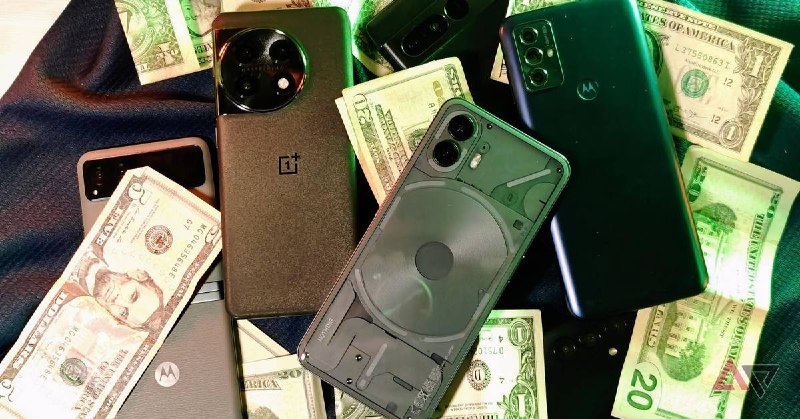
Repurposing Your Old Android Device: A Smart Alternative to Expensive Smart Cameras
In an era where technology constantly evolves, many of us find ourselves with outdated Android devices collecting dust. Rather than letting these once-cutting-edge gadgets become obsolete, a growing number of tech-savvy individuals are discovering innovative ways to repurpose them. One particularly practical application is transforming an old smartphone or tablet into a fully functional smart camera system, potentially saving hundreds of dollars on dedicated smart camera hardware.
This approach not only breathes new life into aging technology but also offers surprising flexibility and functionality that commercial alternatives may not provide. In this comprehensive guide, we'll explore how you can leverage your old Android device to create a customized smart camera solution tailored to your specific needs.
The Economic and Environmental Benefits of Repurposing
Before diving into the technical aspects, it's worth considering why repurposing an old Android device makes both economic and environmental sense. The average mid-range smart camera can cost anywhere from $100 to $400, depending on features and brand. Meanwhile, most households have at least one outdated Android device that could otherwise contribute to electronic waste.
| Aspect |
Repurposed Android Device |
Dedicated Smart Camera |
| Initial Cost |
$0 (using existing hardware) |
$100-$400+ |
| Setup Complexity |
Moderate |
Low |
| Customization |
High |
Limited |
| Environmental Impact |
Reduces e-waste |
Contributes to consumption |
Hardware Requirements for Your Smart Camera Conversion
Not all old Android devices are equally suitable for repurposing as smart cameras. The ideal candidate should meet certain specifications to ensure satisfactory performance:
- Operating System: Android 5.0 (Lollipop) or later for optimal app compatibility
- Camera Quality: A rear-facing camera with at least 8 megapixels is recommended
- Power Source: Ability to stay powered on continuously, either through charging or battery power
- Connectivity: Wi-Fi capability for remote access and control
- Storage: Adequate internal storage or expandable memory via microSD
Surprisingly, even devices from 5-7 years ago often meet these requirements, making them perfect candidates for this repurposing project.
Step-by-Step Guide to Setting Up Your Android Smart Camera
Converting your old Android device into a smart camera involves several key steps:
1. Prepare Your Device
- Reset the device to factory settings to remove personal data
- Update to the latest available software version
- Remove unnecessary apps to free up storage and improve performance
- Configure Wi-Fi settings for reliable network connection
2. Choose and Install Camera Software
Several excellent applications can transform your Android device into a smart camera system:
| App Name |
Key Features |
Price |
| AlfredCamera |
Motion detection, cloud storage, two-way audio |
Free (with premium options) |
| IP Webcam |
RTSP stream, customizable settings |
Free (with donation option) |
| Manything |
Cloud recording, activity zones, alerts
Free trial with subscription
3. Configure Your Camera System
- Position the device for optimal coverage of the desired area
- Adjust camera settings (resolution, frame rate, night mode)
- Set up motion detection zones and sensitivity
- Configure notification preferences for alerts
- Test the system thoroughly before relying on it
4. Enhance Your Setup
For a more robust solution, consider these enhancements:
- Use a powered mount or tripod for stable positioning
- Connect an external power source for continuous operation
- Add a microSD card for local recording storage
- Consider a weatherproof case for outdoor use
Advanced Features and Customization
One of the greatest advantages of repurposing an Android device as a smart camera is the potential for advanced customization that commercial cameras often lack:
- Integration with Smart Home Systems: Many camera apps support integration with platforms like Google Home, Amazon Alexa, or Samsung SmartThings
- Automated Triggers: Use Tasker or similar automation apps to create custom actions based on camera detection
- Multi-Camera Systems: Coordinate multiple repurposed devices for comprehensive coverage
- AI-Powered Detection: Install additional apps for facial recognition or object detection
Limitations and Considerations
While repurposing an old Android device offers numerous benefits, it's important to acknowledge potential limitations:
- Power Consumption: Continuous operation may require consistent charging or a high-capacity power bank
- Reliability: Older devices may experience occasional crashes or performance issues
- Security: Proper configuration is essential to prevent unauthorized access
- Weather Resistance: Standard devices lack the durability of purpose-built outdoor cameras
- Image Quality: While often sufficient, camera sensors in older devices may not match premium dedicated cameras
Security Best Practices
When using a repurposed device for security purposes, security should be a top priority:
- Use strong, unique passwords for both the device and camera apps
- Enable two-factor authentication where available
- Regularly update both the operating system and camera applications
- Disable unnecessary features and permissions
- Consider using a VPN for an additional layer of protection
Real-World Applications and Use Cases
People have successfully implemented repurposed Android camera systems in various scenarios:
- Home Security: Monitoring entry points, living areas, or property perimeters
- Pet Monitoring: Checking on pets throughout the day
- Baby Monitoring: Keeping an eye on infants while they sleep
- Temporary Surveillance: Monitoring vacation homes or rental properties
- Nanny Cam: Supervising childcare providers
- Wildlife Photography: Capturing images of animals in natural habitats
Conclusion: A Smart Solution for Modern Challenges
Repurposing an old Android device as a smart camera represents an innovative approach to both technology sustainability and practical problem-solving. By leveraging existing hardware, users can create customized surveillance solutions that often exceed the capabilities of commercial alternatives at a fraction of the cost.
While this solution may not replace the need for high-end security systems in all situations, it offers remarkable flexibility for casual monitoring, temporary needs, or budget-conscious users. As technology continues to evolve, the practice of repurposing older devices will likely become even more sophisticated, opening new possibilities for creative and sustainable tech solutions.
Whether you're looking to enhance home security, monitor pets, or simply make use of that old Android phone gathering dust in a drawer, transforming it into a smart camera system is a rewarding project that combines practicality with environmental consciousness.
I skipped buying an expensive smart camera by repurposing an old Android device
https://www.androidpolice.com/skipped-buying-expensive-smart-camera-repurposing-old-android-device/
I skipped buying an expensive smart camera by repurposing an old Android device
https://www.androidpolice.com/skipped-buying-expensive-smart-camera-repurposing-old-android-device/


 TechOffice