 TechOffice
Samsung Galaxy S26 One UI 9 Beta 3: Complete Feature Breakdown and Changes Revealed
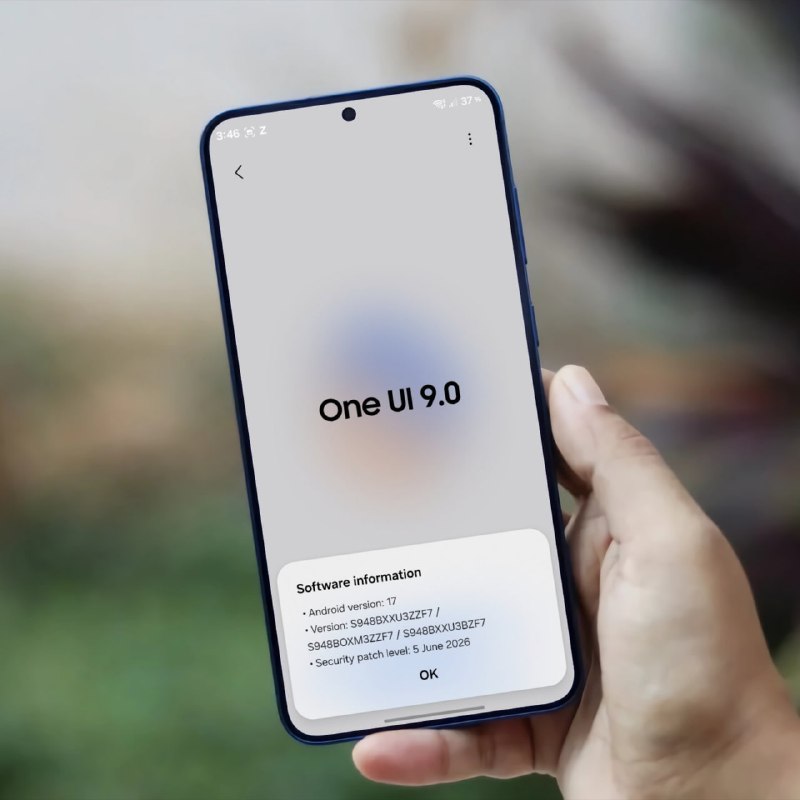
Galaxy S26 One UI 9 Beta 3 Brings Significant Improvements and Fixes
Latest Beta Version Addresses Key User Experience Issues
The Samsung Galaxy ecosystem continues to evolve with the latest One UI 9 Beta 3 release for the upcoming Galaxy S26. This beta iteration, identified as version ZZF7, introduces a range of critical bug fixes and improvements that enhance the overall user experience. As Samsung prepares for the official launch of its next flagship device, these beta releases play a crucial role in refining the software experience and addressing issues before they reach the general consumer audience.
Understanding One UI 9 and the Galaxy S26
One UI has become Samsung's signature software experience, designed specifically to complement its hardware with an intuitive interface that optimizes screen real estate and improves usability. The upcoming One UI 9 represents another significant step in this evolution, expected to introduce new features alongside performance optimizations and refinements.
While the Galaxy S26 has not been officially announced by Samsung, the emergence of beta versions suggests that development is well underway. The S26 line is anticipated to continue Samsung's tradition of premium flagship devices with cutting-edge technology across display, camera, and performance capabilities.
What's New in One UI 9 Beta 3 (Version ZZF7)
The third iteration of the One UI 9 beta for the Galaxy S26 focuses heavily on resolving bugs and improving stability across various aspects of the user interface. This stage in the beta development cycle typically indicates that Samsung is shifting from feature implementation to refinement and polish, addressing the most pressing issues reported by beta testers.
Detailed Bug Fixes
The changelog for One UI 9 Beta 3 reveals a comprehensive approach to addressing user-reported issues across multiple system components. Each fix represents a targeted solution to specific problems that could impact daily usage of the device.
Among the most significant improvements is the enhanced privacy display functionality, which now operates correctly when users set routines or toggle the Quick Panel. This fix addresses an important aspect of Samsung's digital wellbeing features, ensuring that users can confidently manage their privacy settings without encountering errors.
Camera functionality receives notable attention in this beta update. Samsung has fixed an issue where the camera preview screen would appear cropped under certain conditions, ensuring that users can compose shots accurately. Additionally, the focus accuracy when using the 30x zoom feature has been improved, which will be particularly valuable for photography enthusiasts who utilize the device's telephoto capabilities.
Widget reliability has been enhanced, with fixes for weather and battery widgets on the lock screen that were not updating correctly. This ensures that users receive timely information at a glance without needing to manually refresh their device.
The S Pen experience has been refined with a fix for the home screen swipe functionality when using the stylus. This improvement is crucial for productivity-focused users who rely on the S Pen for navigation and interaction.
File management has been improved with a fix for the My Files app, where the file list could not be scrolled to the end. This resolves a frustrating limitation that could prevent users from accessing all their stored content.
Several visual and performance issues have also been addressed. The intermittent white background screen when receiving calls has been fixed, eliminating a jarring visual disruption during incoming calls. Similarly, the device reboot issue during video streaming has been resolved, preventing unexpected interruptions when consuming media content.
Finally, a cosmetic issue where the background would appear black when pulling down the status bar has been corrected, ensuring a consistent visual experience across all system interactions.
| Issue Category | Description | User Impact |
|---|---|---|
| Privacy | Improved errors related to privacy display when setting routines or toggling the Quick Panel | Medium |
| Camera | Fixed preview cropping and improved focus accuracy at 30x zoom | High |
| Widgets | Fixed lock screen widget information (weather, battery) updates | Medium |
| S Pen | Fixed home screen swipe functionality when using the pen | Medium |
| File Management | Fixed file list scrolling in My Files app | Low |
| Calling | Fixed intermittent white background screen during incoming calls | Low |
| Performance | Fixed device reboot during video streaming | High |
| UI Elements | Fixed black background when pulling down the status bar | Low |
What to Expect Next
Based on the current state of the beta program, users can anticipate additional refinements in future beta versions before the final release of One UI 9. Samsung typically follows a pattern of releasing multiple beta builds, each addressing more issues and incorporating feedback from the testing community.
The fixes implemented in Beta 3 suggest that Samsung is focusing on stability and polish rather than introducing major new features. This phase of development is crucial for ensuring that the final release meets Samsung's quality standards and provides a seamless user experience.
Future beta versions may include additional performance optimizations, further UI refinements, and potentially some new features that were not ready for inclusion in earlier builds. The timeline for subsequent beta releases and the final version will depend on the severity of any remaining issues and Samsung's development schedule.
How to Join the One UI Beta Program
For users interested in experiencing One UI 9 ahead of its official release, Samsung typically offers a beta program through its Samsung Members app. Participants in the program receive over-the-air updates with beta versions of the software and are encouraged to provide feedback to help identify and resolve issues.
Joining a beta program does come with some risks, as beta software may contain bugs or instability that could affect daily device usage. However, for tech enthusiasts and early adopters, it offers an opportunity to experience new features and contribute to the development process.
Conclusion
The One UI 9 Beta 3 release for the Galaxy S26 demonstrates Samsung's commitment to refining its software experience before the official launch. The comprehensive list of bug fixes addresses issues across multiple system components, from camera functionality to S Pen interaction and file management.
As development continues, users can expect further improvements and potentially new features in subsequent beta versions. The current focus on stability and user experience suggests that Samsung is preparing a polished and reliable software experience to complement the hardware capabilities of the upcoming Galaxy S26 lineup.
For Samsung enthusiasts and tech observers, the progression of One UI 9 through its beta phases provides valuable insight into the company's development process and its priorities for the next generation of its flagship devices.
Galaxy S26 One UI 9 Beta 3 Changelog! Version - One UI 9, ZZF7 Bugs that have been fixed: - Improved errors related to the privacy display when setting routines or toggling the Quick Panel ON/OFF. - Fixed an issue where part of the camera preview screen was cropped under certain conditions. - Fixed an issue where widget information, such as weather and battery on the lock screen, was not updating correctly. - Improved focus accuracy when using 30x camera zoom. - Fixed an issue where the home screen would not swipe left or right when using the pen. - Fixed an issue in the My Files app where the file list could not be scrolled to the end. - Fixed an issue where the background screen would intermittently turn white when receiving a call. - Fixed an issue where the device would reboot once during video streaming. - Fixed an issue where the background would appear black when pulling down the status bar. via: tarunvats ❤️ @OneUIForGalaxy Galaxy S26 One UI 9 Beta 3 Changelog! Version - One UI 9, ZZF7 Bugs that have been fixed: - Improved errors related to the privacy display when setting routines or toggling the Quick Panel ON/OFF. - Fixed an issue where part of the camera preview screen was cropped under certain conditions. - Fixed an issue where widget information, such as weather and battery on the lock screen, was not updating correctly. - Improved focus accuracy when using 30x camera zoom. - Fixed an issue where the home screen would not swipe left or right when using the pen. - Fixed an issue in the My Files app where the file list could not be scrolled to the end. - Fixed an issue where the background screen would intermittently turn white when receiving a call. - Fixed an issue where the device would reboot once during video streaming. - Fixed an issue where the background would appear black when pulling down the status bar. via: tarunvats ❤️ @OneUIForGalaxy


