 TechOffice
WWDC 2026: Apple's Monumental Announcements Reshape Tech Landscape
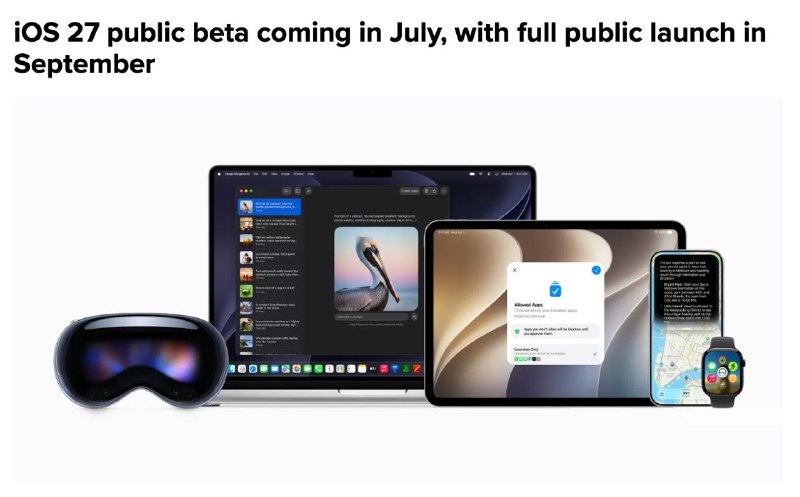
WWDC 2026: Apple's Revolutionary Announcements Mark a New Era of AI Integration
At the Worldwide Developers Conference 2026, Apple unveiled a comprehensive suite of innovations that fundamentally reshape the user experience across its ecosystem. The event centered on artificial intelligence integration, enhanced privacy features, and significant design overhauls, positioning Apple at the forefront of technological innovation.
Siri with Google Gemini: A Quantum Leap in Digital Assistance
Perhaps the most groundbreaking announcement is the integration of Google's Gemini AI with Siri, transforming Apple's virtual assistant into a truly cross-platform powerhouse. This collaboration represents a significant departure from Apple's previous approach to AI, leveraging Google's advanced natural language processing capabilities while maintaining Apple's emphasis on privacy and user experience.
The enhanced Siri now operates seamlessly across all applications, offering unprecedented functionality:
- Visual Intelligence: Recognizing and calculating food calories directly from photos, revolutionizing nutritional tracking
- Text Processing: Advanced typo correction and contextual editing across all written content
- Task Management: Detailed planning capabilities that can break down complex projects into actionable steps
- Search Integration: Deep search functionality across email archives and media libraries
Visually, Siri's interaction has been refined with its animation now integrated into the Dynamic Island, providing a more cohesive and less intrusive user experience. This design choice reflects Apple's commitment to seamless integration of AI features into the existing interface.
AI-Powered Photo Editing: Professional Results in One Tap
Apple has democratized advanced photo editing by integrating sophisticated AI tools directly into the native Photos application. These features, once reserved for professional editing software, are now accessible to all users with a single tap:
- Object Removal: Intelligently detects and removes unwanted elements from photos while preserving background integrity
- Background Extension: Seamlessly expands photo backgrounds to improve composition and framing
- Auto-Correction: Advanced algorithmic adjustments for composition, lighting, and color balance
This implementation demonstrates Apple's philosophy of making powerful technology accessible without overwhelming users with complex interfaces. The AI analyzes each photo contextually, applying appropriate enhancements that would typically require hours of manual editing in professional software.
Table: AI Photo Editing Features Comparison
| Feature | Previous iOS Capability | iOS 27 with AI Integration |
|---|---|---|
| Object Removal | Basic crop and manual editing | AI-powered detection and removal |
| Background Extension | Limited manual adjustment | Seamless AI expansion |
| Composition Correction | Manual grid alignment | Auto-correction with one tap |
| User Interface | Multiple steps and tools | Single-tap functionality |
Revolutionary Developer Tools: Xcode + Gemini + Figma Integration
Apple is transforming the app development landscape with the integration of Gemini AI, Xcode, and Figma. This powerful combination enables developers to create applications and AI agents with unprecedented efficiency:
- Text-to-App Development: Developers can now build complete applications and AI agents from plain-text descriptions, dramatically accelerating the development cycle
- Interactive Simulation: The ability to simulate screen taps and user interactions directly within the development environment
- Dynamic UI Adjustment: Real-time modification of user interface designs based on AI suggestions and user feedback
This integration represents Apple's most significant investment in developer tools to date, acknowledging the growing complexity of modern application development while maintaining the company's commitment to creating intuitive development environments.
Privacy Reinforcement: On-Device AI and Password Security
In an era of increasing digital threats, Apple has doubled down on its privacy commitments with two significant enhancements:
- On-Device AI Processing: All AI requests are now processed locally on the device, eliminating the need for cloud processing and ensuring user data never leaves the device
- Advanced Password Monitoring: The system proactively alerts users to password leaks across the web and offers one-tap replacement with secure, randomly generated alternatives
These features demonstrate Apple's continued commitment to privacy as a fundamental human right, implementing advanced security measures that operate seamlessly in the background without requiring user intervention.
Enhanced User Experience: AirPods, Calendar, and Parental Controls
Apple has introduced several quality-of-life improvements that enhance daily interactions with its devices:
- AirPods Equalization: A built-in equalizer directly in AirPods settings, allowing users to customize their audio experience without additional apps
- Advanced Cycle Tracking: iOS 27 introduces comprehensive cycle tracking with health insights and predictive notifications
- Granular Parental Controls: Enhanced screen time management with age-appropriate restrictions and detailed usage analytics for children's devices
These features collectively demonstrate Apple's focus on creating holistic user experiences that address specific needs across different demographics and use cases.
Extended Device Support: Breathing New Life into Older Hardware
In a move that contrasts with industry trends of planned obsolescence, Apple has committed to supporting older devices with iOS 27, which now supports iPhone 11 and later models. The most significant enhancement is a reworked CPU scheduler that:
- Optimizes task distribution across available processor cores
- Reduces latency in application launches and system operations
- Provides a noticeable speed boost on older devices without compromising battery life
This approach extends the usable lifespan of Apple devices, reducing electronic waste and providing greater value to consumers who may not upgrade annually.
MacOS Golden Gate: A Visual Renaissance
The most significant visual refresh in macOS history, "Golden Gate" introduces a completely redesigned interface that balances aesthetic innovation with functional clarity:
- Redesigned Windows and Icons: A more modern, streamlined approach to window management and iconography
- Liquid Glass Visual Style: A groundbreaking translucent interface element that creates depth and visual interest
- Adjustable Transparency: A user-controlled transparency slider that can be customized or completely disabled for users who prefer traditional interfaces
This design overhaul represents Apple's most ambitious visual experiment in years, offering users unprecedented customization options while maintaining the core functionality and usability that defines the macOS experience.
Table: MacOS Golden Gate Design Elements
| Design Element | Previous MacOS | Golden Gate |
|---|---|---|
| Window Design | Traditional solid windows | Refined with subtle transparency |
| Icon Style | Consistent flat design | Enhanced with depth and lighting |
| Visual Theme | Static appearance | Liquid Glass with adjustable transparency |
| User Customization | Limited options | Extensive transparency and style controls |
Hardware Compatibility and Availability
While Apple's new AI features represent a significant leap forward, the company has implemented strategic hardware requirements to ensure optimal performance:
- Siri AI Launch: Initially available in English only, with plans for additional language support in future updates
- Flagship Hardware Requirement: Advanced AI features are exclusively available on the latest generation of devices:
- iPhone 17 Pro and iPhone 17 Air
- Mac computers with M3 chips or later
- iPad models with M4 chips or later
This tiered approach allows Apple to deliver cutting-edge experiences on capable hardware while maintaining compatibility with older devices for more basic functionality.
Conclusion: A Defining Moment for Apple's AI Strategy
WWDC 2026 marks a pivotal moment in Apple's technological evolution, representing the company's most ambitious integration of artificial intelligence into its ecosystem. The announcements demonstrate a careful balance between innovation and usability, privacy and functionality, and cutting-edge technology and accessibility.
By partnering with Google on Gemini while maintaining on-device processing, Apple has addressed the challenge of delivering powerful AI without compromising its core privacy principles. The visual refresh of MacOS and extended support for older devices further reinforce Apple's commitment to both innovation and sustainability.
As these features roll out to consumers in the coming months, Apple appears well-positioned to maintain its leadership in the personal technology space, setting new standards for what users can expect from their devices in an increasingly AI-driven world.
👨🏫 WWDC 2026: Apple's biggest announcements 🤪 Siri with Google Gemini Siri can now work across all apps — recognising food calories from photos, fixing typos, planning tasks in detail, and searching email and media libraries. The Siri animation has moved to Dynamic Island. 🛝 AI photo editing Built into the native gallery: remove unwanted objects, extend backgrounds, and auto-correct composition – all in one tap. 🅰️ Xcode + Gemini + Figma Developers can now build apps and AI agents from plain-text descriptions, simulate screen taps, and adjust UI designs on the fly. 🔒 Privacy & passwords AI requests are processed locally on-device. The system alerts you to password leaks and offers one-tap replacement with secure alternatives. 🎧 AirPods, calendar & parental controls A built-in equaliser in AirPods, cycle tracking in iOS 27, and granular screen time controls for children's devices. 👴 Older iPhone support iOS 27 supports iPhone 11 and later. A reworked CPU scheduler brings a noticeable speed boost to older devices. MacOS 🍎 Golden Gate Redesigned windows and icons, Liquid Glass visual style with an adjustable transparency slider — can be turned off completely. 🇺🇸 Support Siri AI launches in English only. Available exclusively on flagship hardware: iPhone 17 Pro/Air, Mac M3+, iPad M4+. #iOS #Siri #AI @iPhone 👨🏫 WWDC 2026: Apple's biggest announcements 🤪 Siri with Google Gemini Siri can now work across all apps — recognising food calories from photos, fixing typos, planning tasks in detail, and searching email and media libraries. The Siri animation has moved to Dynamic Island. 🛝 AI photo editing Built into the native gallery: remove unwanted objects, extend backgrounds, and auto-correct composition – all in one tap. 🅰️ Xcode + Gemini + Figma Developers can now build apps and AI agents from plain-text descriptions, simulate screen taps, and adjust UI designs on the fly. 🔒 Privacy & passwords AI requests are processed locally on-device. The system alerts you to password leaks and offers one-tap replacement with secure alternatives. 🎧 AirPods, calendar & parental controls A built-in equaliser in AirPods, cycle tracking in iOS 27, and granular screen time controls for children's devices. 👴 Older iPhone support iOS 27 supports iPhone 11 and later. A reworked CPU scheduler brings a noticeable speed boost to older devices. MacOS 🍎 Golden Gate Redesigned windows and icons, Liquid Glass visual style with an adjustable transparency slider — can be turned off completely. 🇺🇸 Support Siri AI launches in English only. Available exclusively on flagship hardware: iPhone 17 Pro/Air, Mac M3+, iPad M4+. #iOS #Siri #AI @iPhone


