 TechOffice
Canva Code 2.0: Transforming Visual Editing through Enhanced Collaborative Tools
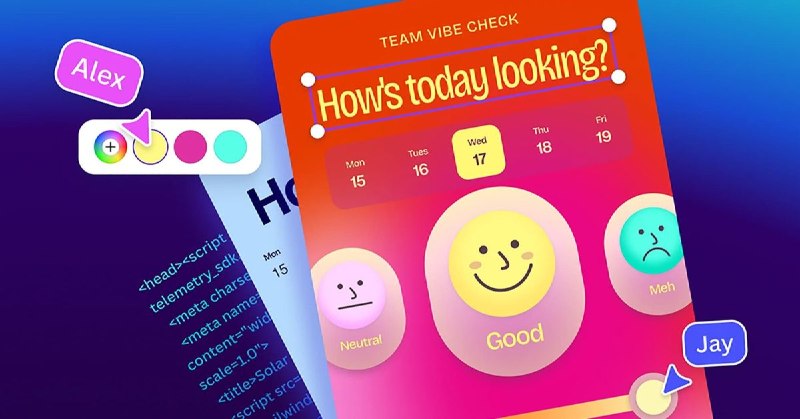
Canva Code 2.0: A New Era in Graphic Design and Collaboration
Canva, the renowned graphic design platform used by millions worldwide, has launched its latest version, Canva Code 2.0. This substantial update introduces a range of innovative features that promise to redefine the way users engage with graphic design and code creation. This article will explore the key elements of Canva Code 2.0 and how these advancements could revolutionize visual editing and collaboration in the digital landscape.
Key Features of Canva Code 2.0
Canva Code 2.0 comes packed with numerous enhancements aimed at improving the user experience and facilitating seamless collaboration. Below are some of the standout features:
- Visual Editing: This update introduces a sophisticated visual editor, allowing users to manipulate design elements more intuitively.
- HTML Imports: Users can import HTML directly into their projects, which simplifies the process for web developers and designers looking to integrate code directly into their designs.
- Real-time Collaboration: The new version enhances collaborative efforts, enabling multiple users to work simultaneously on projects, making it easier to share ideas and feedback in real time.
Transforming the User Experience
The introduction of visual editing in Canva Code 2.0 marks a pivotal shift in how design interactions are handled. Traditionally, graphic design could be a complex process that required extensive technical skills. With this new visual editing feature, users can easily adjust their designs without a deep knowledge of coding. This democratizes graphic design, making it accessible to a broader audience.
HTML Imports: Bridging Design and Development
A notable enhancement in Canva Code 2.0 is the ability to import HTML, an essential feature for web developers. This functionality streamlines the workflow between design and development teams, enabling designers to pull in web content directly into their projects. It allows for a more cohesive approach to building web pages, where visual aesthetics and coding align seamlessly.
Boosting Team Productivity with Real-Time Collaboration
The enhanced real-time collaboration feature sets Canva Code 2.0 apart from its predecessors. Teams can now work together on projects with instant updates reflecting any changes made. This capability not only speeds up the creative process but also fosters an interactive environment for idea sharing and feedback.
Conclusion
As Canva continues to innovate with features such as visual editing, HTML imports, and real-time collaboration, it is clear that Canva Code 2.0 is a game changer in the realm of graphic design and code integration. This update not only enhances user experience but also fosters a collaborative spirit among teams, making it an essential tool for modern design workflows.
Comparison of Features in Canva Code 2.0
| Feature | Previous Version | Canva Code 2.0 |
|---|---|---|
| Visual Editing | No | Yes |
| HTML Imports | No | Yes |
| Real-time Collaboration | Limited | Enhanced |
| User Accessibility | Moderate | High |
In conclusion, Canva Code 2.0 emerges as a robust platform that addresses the increasing needs for user-friendly and collaborative graphic design tools. By implementing these innovative features, Canva is not only enhancing its own service but also reshaping the future of digital design collaboration.
Canva, the popular graphic design platform, has recently unveiled its latest iteration, Canva Code 2.0. This significant update brings a plethora of exciting features that are set to transform the way users create and collaborate on code. In this article, we'll delve into the key aspects of Canva Code 2.0 and explore how it's poised to revolutionize the world of visual editing. Canva Code 2.0 adds visual editing, HTML imports, and real-time collaboration https://ift.tt/bfU5drO


