 TechOffice
Windows 11 Copilot Identifies Your PC's Performance Bottlenecks, Utilizing 1GB of RAM in the Process
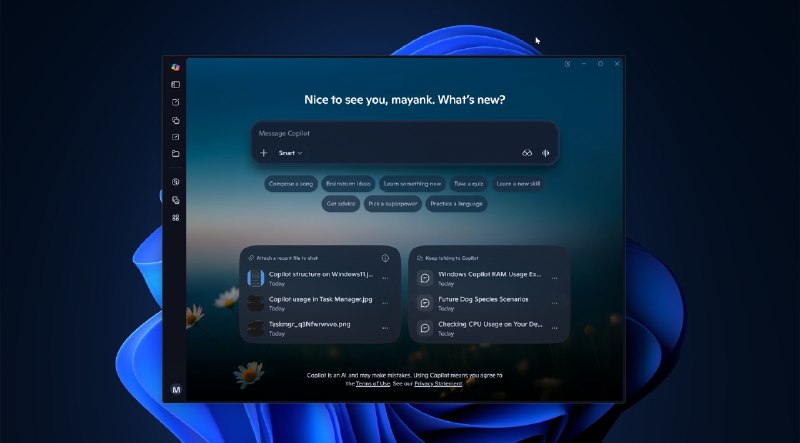
Windows 11 Copilot Enhancements: Diagnosing PC Slowdowns
In the ever-evolving landscape of operating systems, Windows 11 continues to innovate, now enhancing user experience through its built-in assistant, Copilot. This recent update adds a substantial feature: the ability to diagnose and report on the factors contributing to a PC's slow performance. While this capability is beneficial, it comes with its own caveat—Copilot operates with a memory consumption of approximately 1GB of RAM. This article delves into the capabilities of Windows 11 Copilot and its implications for users seeking enhanced system performance.
Understanding the Latest Features of Windows 11 Copilot
Windows 11 Copilot is designed to provide users with a seamless integration of assistance directly within the operating system. The latest updates include:
- Performance Insights: Copilot now analyzes the system performance and identifies apps or services that may be causing slowdowns. This feature aims to empower users with necessary information to optimize their devices.
- User-Friendly Reports: The information presented is structured in a clear format, allowing users to quickly grasp the issues affecting their machine's performance.
- Recommendations for Improvement: Based on the diagnosis, Copilot can provide suggestions on how to rectify the identified issues, making the troubleshooting process more efficient.
Performance Considerations
While the ability to assess system performance is a valuable addition, it is important to note that Copilot's operational demands are not negligible. With its usage of around 1GB of RAM, users should consider the following:
- RAM Usage Implications: Copilot’s memory needs can impact performance on devices with limited RAM capacity, potentially offsetting any benefits from performance insights it may provide.
- Balanced Usage: It is crucial for users to weigh the advantages of having performance analysis against the additional system resources consumed by Copilot.
Comparative Analysis of System Resources
To further elaborate on Windows 11 Copilot's resource usage, the following table summarizes its RAM consumption in relation to typical background processes running on a standard Windows 11 installation:
| Process | Estimated RAM Usage | Functionality |
|---|---|---|
| Windows 11 Copilot | ~1GB | Performance diagnostics and recommendations |
| Typical Background Processes | ~500MB - 1GB | System management and OS functionalities |
| Web Browsers (2 Tabs) | ~300MB | Internet browsing and content access |
| Office Suite | ~400MB | Productivity applications (e.g., Word, Excel) |
Conclusion
The latest enhancements to Windows 11 Copilot signify a positive step towards more intelligent and responsive system management. By diagnosing performance issues, Copilot aims to make PC maintenance more accessible for users. However, the substantial RAM requirements must be meticulously considered, especially by those using devices with limited resources. As technology progresses, it is crucial for users to remain informed about not only the capabilities of tools like Copilot but also their impact on overall system performance.
Windows 11 Copilot now tells you what’s slowing down your PC, while using 1GB RAM itself Read Full Article #Windows11 #Copilot #PCPerformance Windows 11 Copilot now tells you what’s slowing down your PC, while using 1GB RAM itself Read Full Article #Windows11 #Copilot #PCPerformance


