 TechOffice
Unlocking the Mystery: How to Determine If Your New Samsung Phone is Pre-Activated
How to Determine if Your New Samsung Phone is a Pre-Activated Unit
Purchasing a new smartphone should be an exciting experience, but it can sometimes come with uncertainties, particularly regarding whether the device is truly new or pre-activated. Samsung users need to be mindful of this, especially if they have just acquired a new device. Fortunately, there is a straightforward method to verify the activation status of your new Samsung phone.
Steps to Check for Pre-Activation
After you have booted up your Samsung phone and logged in using your Samsung Account, follow these steps:
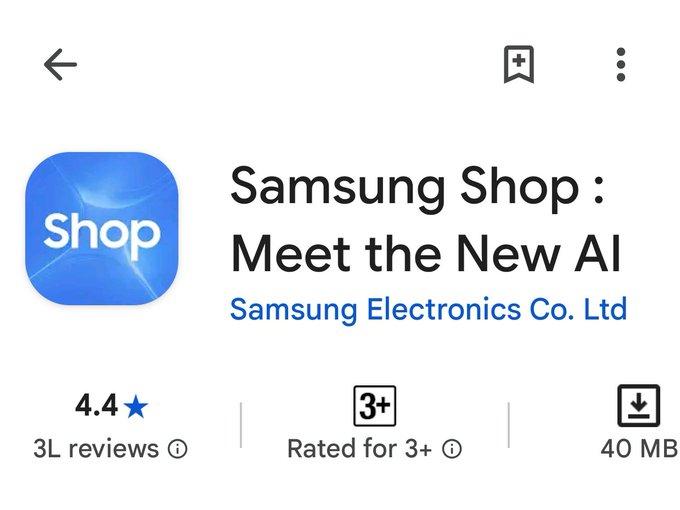
- Open the Samsung Shop app on your device.
- Navigate to My Page.
- Select Registered Devices.
- Tap on Device Info.
- Check the Valid till warranty date.
Understanding the Warranty Date
Once you have accessed the warranty information, pay close attention to the "Valid till" warranty date:
- If the warranty is set to expire earlier than expected for a brand new device, it suggests that your phone may have been pre-activated.
- If the warranty validity aligns with what you would expect for a brand-new model, you can be confident that your device is new and unactivated.
Why It Matters
Understanding whether your phone is pre-activated is crucial for several reasons:
- Customer Support: New devices typically come with a full factory warranty, offering you peace of mind in case of malfunctions.
- Resale Value: A pre-activated unit may have decreased resale value compared to a completely new device.
- Software Updates: Pre-activated phones may have been used before, potentially affecting warranty eligibility for software updates and repairs.
Conclusion
By following these simple steps, Samsung users can easily verify whether their new device is indeed a pre-activated unit or not. Ensuring that you have purchased a legitimate new device will not only enhance your experience but also safeguard your investment.
For additional tips and resources, it’s advisable to regularly check your Samsung Shop app, as it frequently updates and offers valuable information regarding your devices.
Here's how to check if your new Samsung phone is a pre-activated unit or not. After booting the phone and signing in with your Samsung Account: - Open the Samsung Shop app. - Go to My Page → Registered Devices → Device Info. - Check the Valid till warranty date. If the warranty expires earlier than expected for a brand new device, it's likely a pre-activated unit. If the validity matches a new device, you're good to go. ❤️ @OneUIForGalaxy Here's how to check if your new Samsung phone is a pre-activated unit or not. After booting the phone and signing in with your Samsung Account: - Open the Samsung Shop app. - Go to My Page → Registered Devices → Device Info. - Check the Valid till warranty date. If the warranty expires earlier than expected for a brand new device, it's likely a pre-activated unit. If the validity matches a new device, you're good to go. ❤️ @OneUIForGalaxy


