 TechOffice
Snapseed for Android Introduces New Grid Lines and Leveling Features
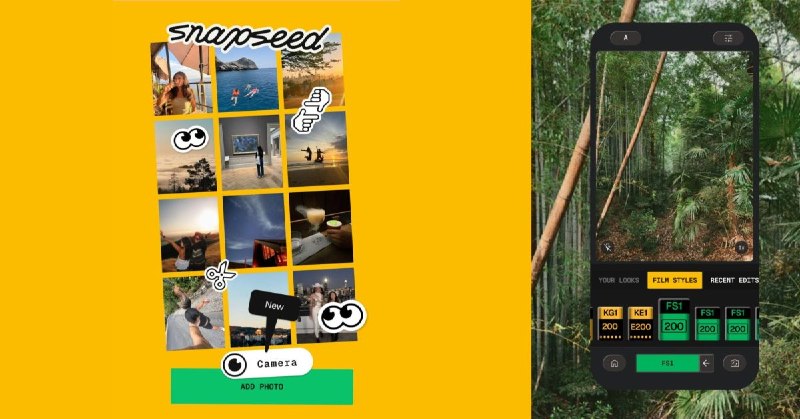
Snapseed Camera Update: Enhancements for Android Users
Snapseed, a popular photo editing application owned by Google, has rolled out an exciting update for its camera feature on Android devices. This enhancement aims to provide users with a more intuitive photography experience by introducing essential tools designed to improve composition and alignment in their photographs.
New Features: Grid Lines and Level Indicators
The latest update introduces two key features: grid lines and leveling tools. These additions are aimed specifically at photographers who understand the importance of composition and precision in their images.
- Grid Lines: The inclusion of grid lines helps photographers adhere to the rule of thirds, a fundamental principle in photography that assists in creating well-balanced images. Users can enable grid lines to visualize division across their viewfinder, ensuring optimal placement of subjects and horizon lines.
- Levels: The leveling tool allows users to easily identify whether their camera is tilted. This is particularly useful when shooting landscapes or architectural shots where straight lines are essential for a professional appearance.
Why These Features Matter
The addition of grid lines and leveling indicators aligns with Snapseed's goal of catering to both amateur and professional photographers. By providing tools that assist in composing shots before they are captured, Snapseed empowers users to create more visually appealing photos right from the start. Understanding the significance of these features can enhance the creative process for many users.
Summary of Snapseed Camera Features
| Feature | Description |
|---|---|
| Grid Lines | Visual divisions that assist in adhering to the rule of thirds, ideal for composition. |
| Level Indicators | Tools that help ensure the camera is aligned correctly to avoid tilted photos. |
Conclusion
The recent enhancements to the Snapseed camera feature signify a substantial improvement in usability and functionality for Android users. By integrating tools such as grid lines and leveling indicators, Snapseed not only enriches the user experience but also reinforces its commitment to fostering creativity through innovation. As professional standards in photography continue to rise, such updates will undoubtedly be welcomed by users seeking to elevate their photographic skills.
Snapseed Camera on Android adds grid lines & levels Source: https://9to5google.com/2026/07/01/snapseed-camera-android-grid/ Snapseed Camera on Android adds grid lines & levels Source: https://9to5google.com/2026/07/01/snapseed-camera-android-grid/


